
Yes. Pick the currency next to the amount and save. Delve keeps the original amount and also converts it to your main currency, so the purchase shows up correctly in your totals, budgets and charts.
Delve supports 150+ currencies. The free plan includes your main currency plus one extra currency. Delve Pro lets you add more.
Delve uses the rate for the day of the purchase. Rates are updated once a day. The converted amount includes a typical bank conversion markup of about 1% between major currencies and 2% for others. You can edit the converted amount by hand.
Delve recalculates every expense in your wallets into the new main currency, using the rate for each purchase's own date. Budget amounts are converted at today's rate. Converted amounts you edited by hand are recalculated too.
Yes. Expenses you add without a connection are saved on your device and sync once you are back online. That helps on flights and in places with patchy mobile data.
Log a purchase in any currency in a few taps and see everything in your own currency. Free to start.
Delve, a multi-currency expense tracker, lets you log each purchase in the currency you actually paid in. It converts the amount to your main currency, so totals, budgets and charts always add up in one currency.
Say your salary arrives in dollars, you pay rent in tenge and spend a week in Georgia paying in lari. In most apps you either convert every purchase in your head before typing it in, or keep a separate wallet for each currency. Both ways, your monthly total stops making sense.
Delve was built for exactly this. You type what the receipt says, and Delve does the maths.
That's it. The purchase lands in your totals, budgets and reports like any other.
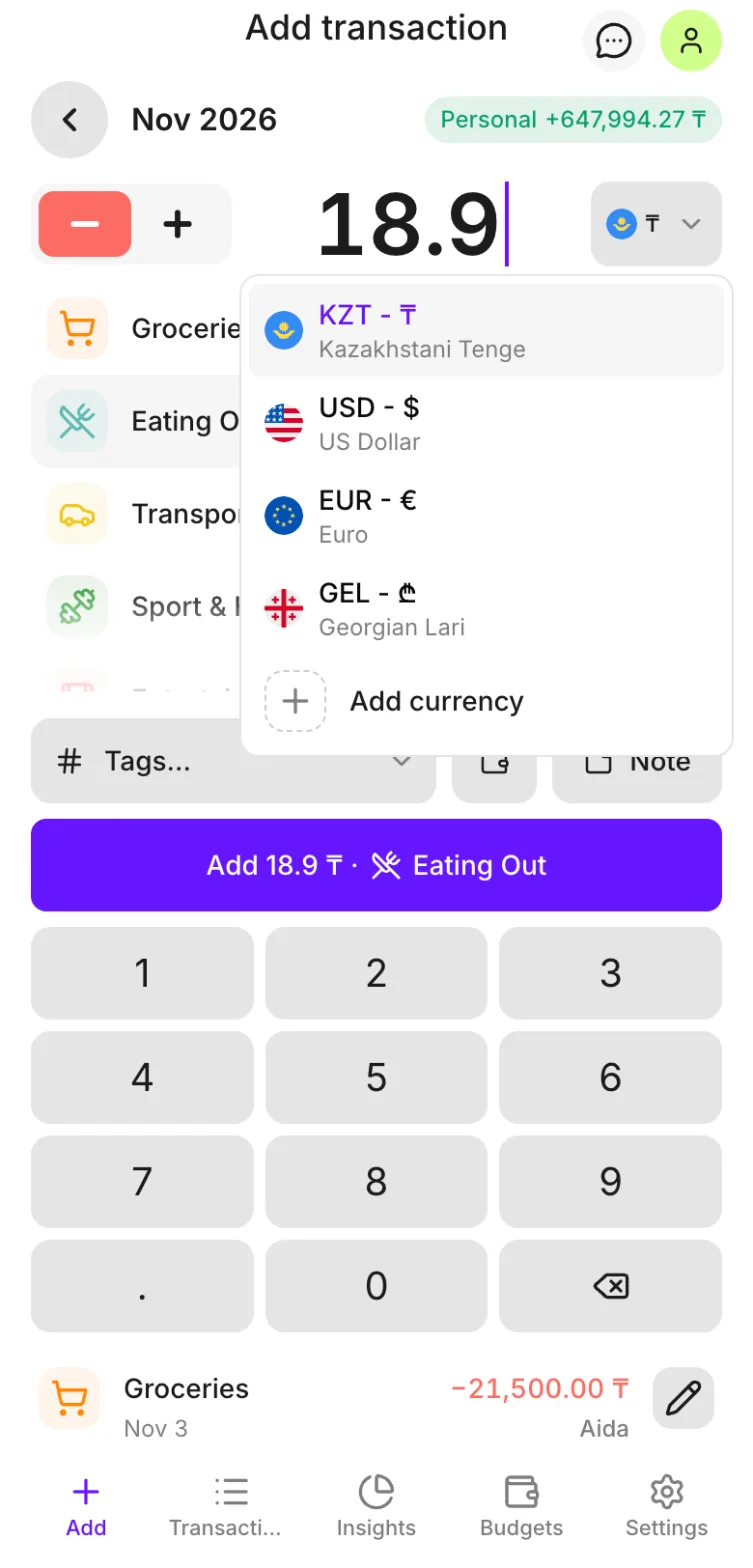
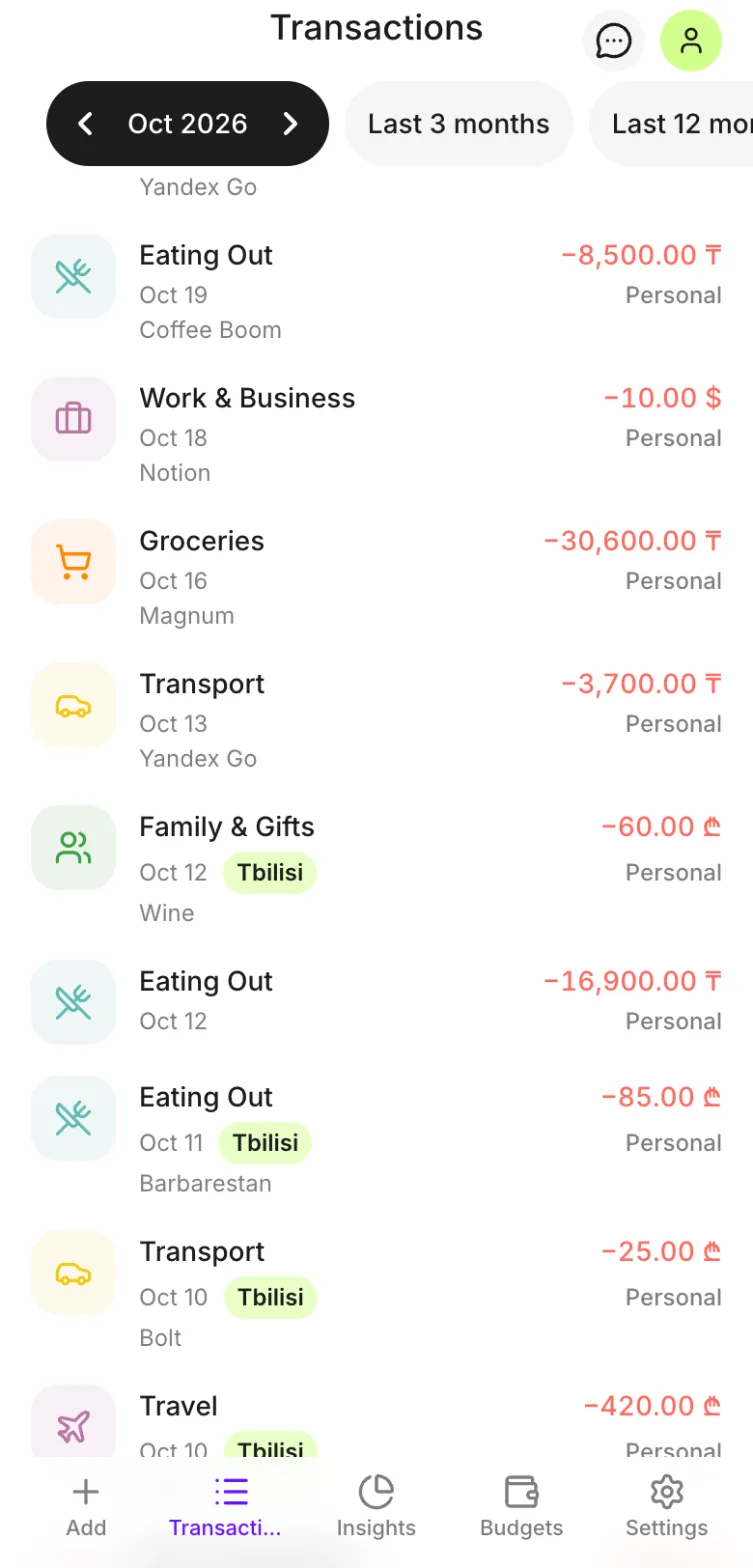
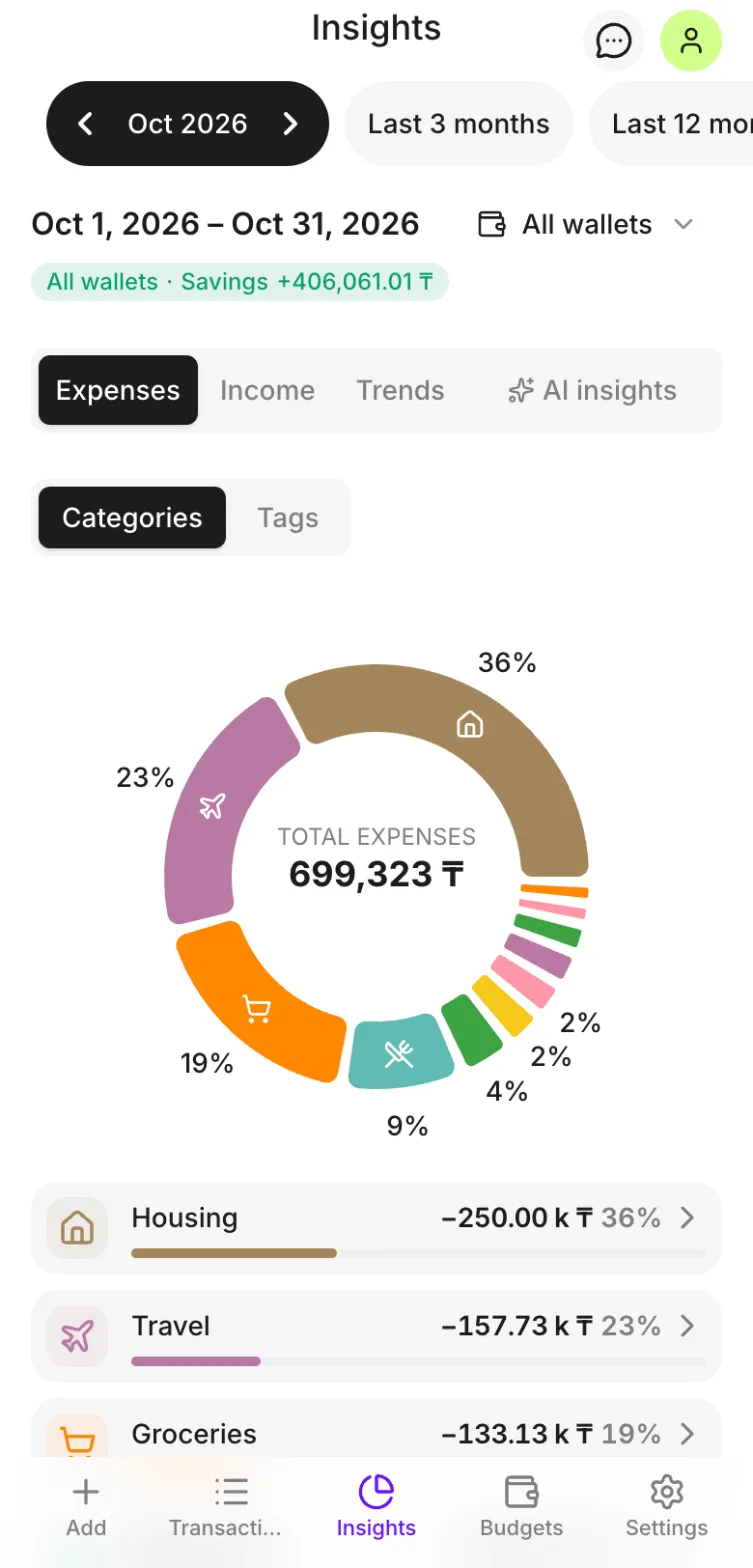
Automatic conversion at daily exchange rates, including a typical bank currency-conversion markup. Rates come from an open daily source and are stored once a day. The markup is about 1% between major currencies and 2% for others, so totals stay close to what your card actually charges.
If you know the exact amount your bank charged, open the expense and type it in. Delve keeps your number instead of the calculated one.
Moved countries? Change your main currency in the settings. Delve recalculates every expense in your wallets, using the rate for each purchase's own date, so your history stays accurate. Budget amounts are converted at today's rate.
Your main currency applies to every wallet you own. If you share a wallet with your partner or family, everyone sees the totals in the owner's main currency. Each person can log purchases in any of the wallet's currencies.
No connection on a flight or in the mountains? Add the expense anyway. It's saved on your device and syncs when you're back online.
| Free | Delve Pro | |
|---|---|---|
| Currencies | Main currency + 1 extra | Main currency + more |
| Wallets | 1 | More |
| Budgets | 1 | More |
| Shared family wallets | No | Yes |
| AI insights | No | Yes |
The free plan is enough to track everyday spending in two currencies. Delve Pro is for people juggling more currencies, several wallets or a shared family budget.
If you earn in one currency and spend in another, read our guide on budgeting in two currencies. To see who builds Delve and why, visit the About page.
